

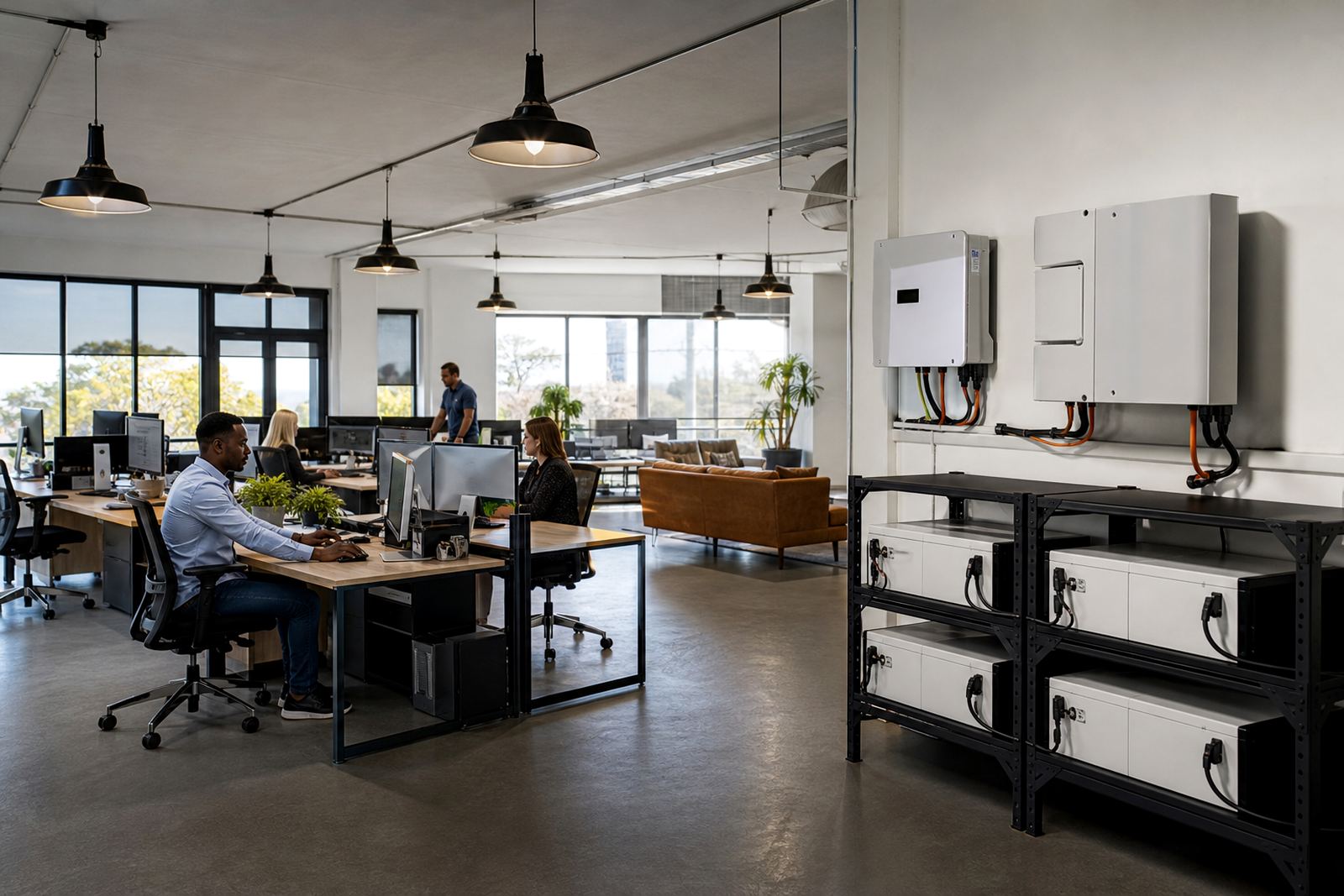
What a small office usually needs to keep running
A small office backup plan is usually about keeping the essentials online, not powering every item in the building. In Randburg, Sandton, Fourways and across Gauteng many offices only need support for workstations, internet, a printer or two, a server cupboard, and one meeting room. That means the system can be sized around actual daily use rather than guessing. If you know which devices must stay on, the battery bank and inverter size become much easier to plan.
For a typical office, the first items to include are usually computers, screens, fibre or LTE routers, a switch, security cameras, point of sale gear if there is a front counter, and a few lights. Air conditioners, kettles and heaters are where many small systems run into trouble. They draw a lot of power and can drain batteries fast, so they are often left off during outages. The goal is to keep staff working and clients connected, not to run the whole premises on backup.
- Workstations and monitors
- Internet equipment and network switches
- Printers or scanners used during the day
- Reception and meeting room lights
- Small security or access control equipment
Sizing an inverter and lithium battery for office use
Start with a straightforward load list for the equipment you want to run together. Add up the watts for what you want to run at the same time, then match that to the inverter output and battery capacity. A small office with a handful of computers and network equipment may only need a modest system, while a busy practice or consulting office with several users and longer outage cover will need more storage. Lithium batteries are often preferred for office backup because they charge faster, handle regular cycling well and take up less space than older battery types.
For planning, it helps to think in bands rather than one fixed answer. A light office setup may sit in the lower range, while a medium office with more staff, longer runtime and a printer room may need a bigger inverter and more battery modules. If you want the system to carry a meeting room as well, the numbers rise quickly. Do not size only for lights, then add more circuits later and expect the original battery to cope. That is a common mistake and it usually shows up during the next outage.
- Lower range: basic internet, lights and a few workstations
- Mid range: several counters, printer use and a small meeting room
- Higher range: more staff, longer runtime and added essential circuits
As a rough budgeting guide, a small office backup system can start in the tens of thousands of Rand and move higher as runtime and circuit count increase. Final cost depends on the inverter size, battery capacity, wiring complexity and whether the office needs changeover gear or extra circuit separation.
Share what must stay on during an outage and the size of the property, and a backup planner will phone or message you.
Contact formLayout planning that keeps the office working during outages
Good layout planning is what makes a backup system feel easy to use. In many offices the neatest solution is to split the board into essential and non-essential circuits. That way the backup covers selected lights, sockets and network points without trying to carry the whole load. If the building has multiple rooms or shared spaces, it is often better to back up one work zone and the communications area first, then decide whether the rest of the office really needs support.
Battery and inverter placement matters too. They should be installed in a dry, well ventilated area with enough space for maintenance and proper cable routes. In coastal humidity areas the protection and positioning matters even more, but in Gauteng heat and dust still need attention. Avoid squeezing equipment into a cramped storeroom with poor airflow. It makes servicing harder and can shorten the life of the system.
For offices in Johannesburg, Pretoria, Centurion, Midrand or Roodepoort, the best results usually come from a short site assessment before anything is ordered. That way the installer can check the existing board, cable runs, earthing, space for the equipment and the loads that really matter to the business.
Common mistakes small offices make with backup power
One of the biggest mistakes is treating an office like a home setup. Office equipment often runs for longer hours and people notice downtime quickly, so the system needs to be planned with work patterns in mind. Another common issue is overlooking startup loads. Printers, some monitors and network gear can draw differently when they switch on, and if the inverter is too small the office may trip at exactly the wrong time.
Another problem is putting non-essential items on the backup side. If the system is meant for workstations and internet, then the pantry kettle, space heater and heavy appliances should stay off it. Mixing everything together usually shortens runtime and creates unhappy staff when the batteries flatten sooner than expected.
Common mistakes to avoid:
- Backing up every socket instead of only the essential ones
- Ignoring printer, router and switch loads
- Using battery capacity that is too small for the expected outage time
- Skipping proper changeover wiring
- Leaving the system without clear labelling for staff
Compliance and installation rules that cannot be skipped
In South Africa, inverter and battery installations must be done by a registered electrician. The work also needs a certificate of compliance, which is important for safety, insurance and property records. If the system is grid-tied, municipal registration is required as well. That applies whether the office is in Sandton, Fourways or any other part of Gauteng. Skipping the paperwork can create trouble later, especially when a landlord, insurer or municipality asks for proof.
Clean installation also matters in a working office. Cables should be neat, circuits should be labelled and the changeover should be easy to understand. If staff need to keep working during load-shedding, they should know which sockets and lights are on backup and which are not. Clear handover avoids confusion when the power drops at 14:00 and everybody is trying to join a call at once.
PowerCut works with offices that need site assessments, backup sizing, inverter installation, battery installation, essential circuit wiring, changeover solutions, system commissioning, monitoring setup, battery expansions, fault checks and routine servicing. The team includes Sifiso Ngobeni, Ayesha Ntuli, Marnus Rabie, Nompumelelo Sigcau, Sibusiso Govender and Rentia Fouche, supporting clients from the Randburg base across Gauteng.
Choosing a backup plan that matches your office budget
Small offices usually fall into three broad planning groups. The first is the lean setup that keeps internet, a few workstations and basic lighting running through outages. The second is the steady office setup, where more users, printers and a meeting room need cover for longer periods. The third is the expanded setup for businesses that cannot afford interruptions and want room for future battery expansion. The right choice depends on how long you need to stay productive and how often your office feels the impact of load-shedding.
A sensible approach is to start with the essentials and leave space for growth. If the business expands, you can add batteries or adjust the circuit layout later, as long as the original system was planned properly. That is usually cheaper than overbuilding from day one. A good installer will talk you through the likely runtime, the practical limits of the board, and where the backup should stop so the office remains stable and safe.
For businesses in Johannesburg, Pretoria, Centurion, Midrand, Roodepoort and nearby areas, the main aim is simple: keep the office connected, keep staff working and keep the backup system practical enough to service later if needed.